
One app for sales teams to quote, approve, order and follow through.
Give representatives a focused way to sell and managers a clear way to guide performance, control decisions and see every transaction from customer enquiry to invoice.
Sales rep and manager views Microsoft connected Governed by role

Bring the complete sales journey into one clear, role-based experience.
Reduce navigation across broad back-office screens while keeping approvals, exceptions, targets and transaction progress visible.
A focused sales workspace
Give representatives and managers one place to manage customers, quotes, approvals, orders and follow-up work.
Stronger commercial control
Keep discounts, approval decisions, workspace access and transaction status visible without slowing the team down.
Clearer sales performance
Connect activities, targets, quote values, orders and invoice signals so managers can act on what needs attention.
Real Sales on the Go views for the work teams perform every day.
Each workspace gives the role enough information to act while keeping the wider customer and transaction journey connected.
Team management
Organise sales workspaces, roles and permissions around the team.
Managers create sales workspaces, assign team members and control each person's territory, role, warehouse access and discount authority from one view.
- Workspace and member assignment
- Territory, role and warehouse access
- Discount permission per representative
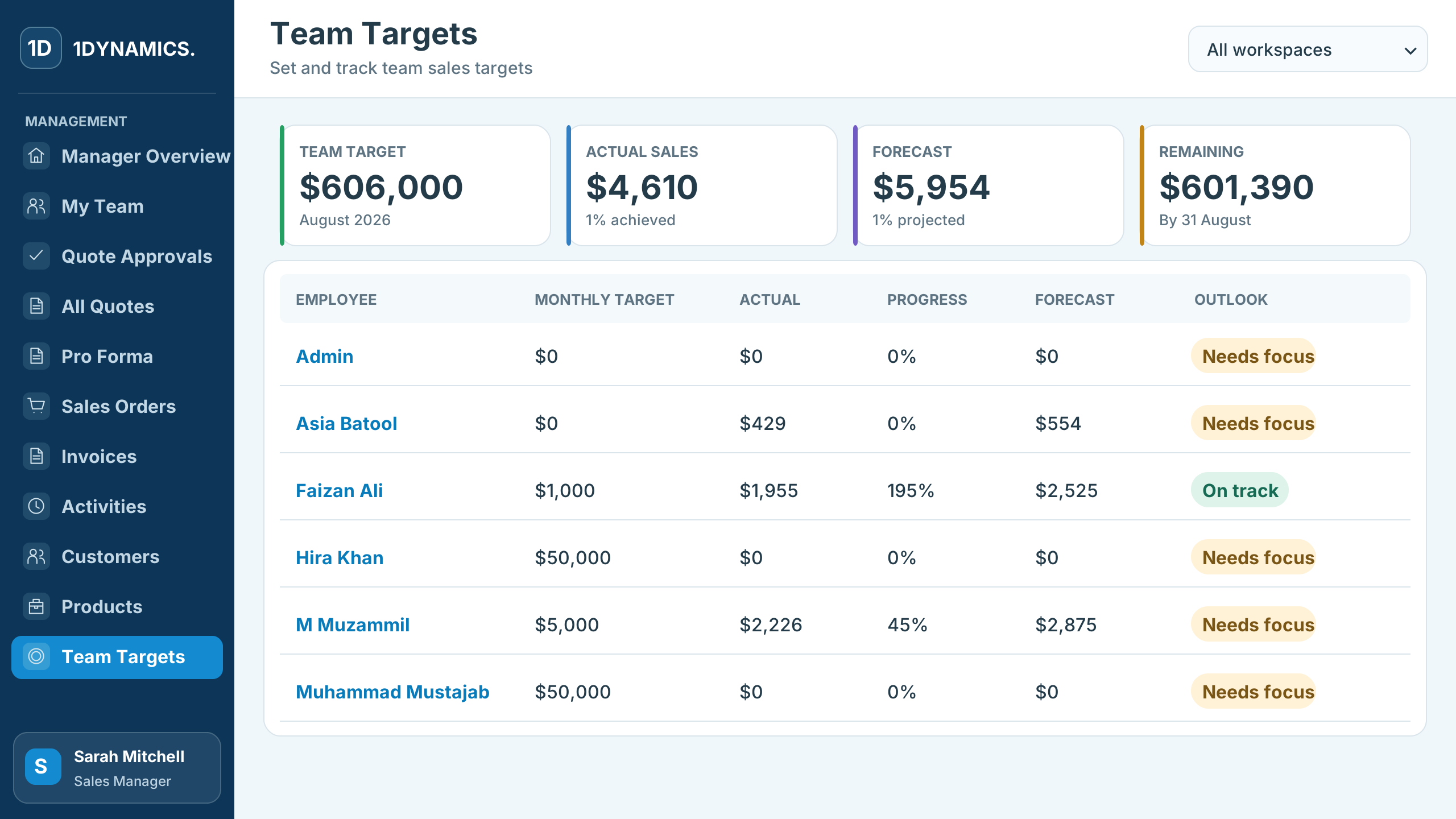
Team targets
Set monthly targets and see who needs focus.
Team target, actual sales, forecast and the amount still required sit at the top, with each representative's progress and outlook below.
- Monthly target per representative
- Actual, forecast and remaining amount
- On track or needs focus at a glance
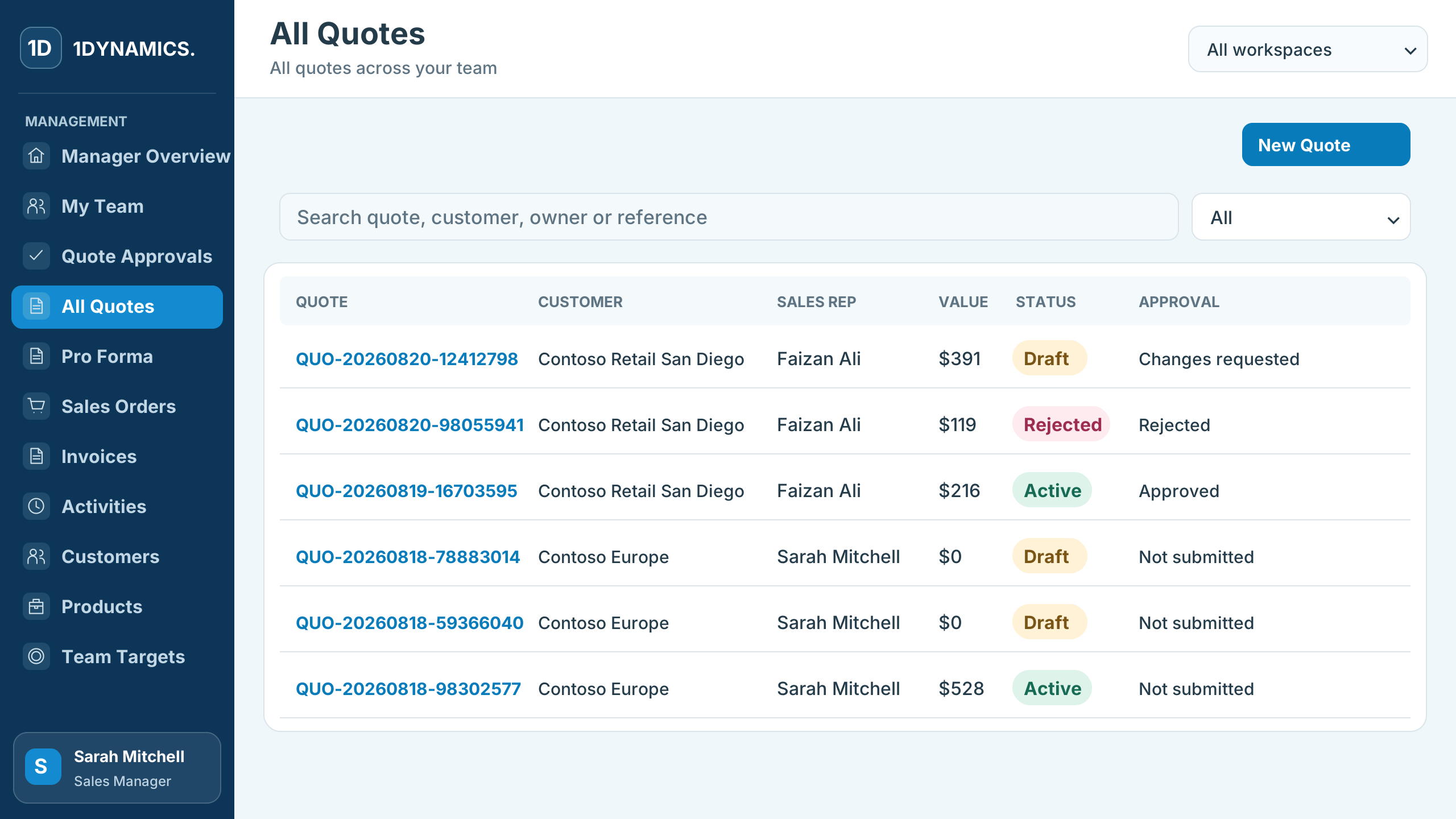
Quotes
See every quote, its value and where it stands in approval.
Search quotes by customer, owner or reference, and see draft, active and rejected quotes alongside their approval outcome.
- Quote value, validity and status
- Approved, rejected and change-requested outcomes
- Revise a quote when changes are requested
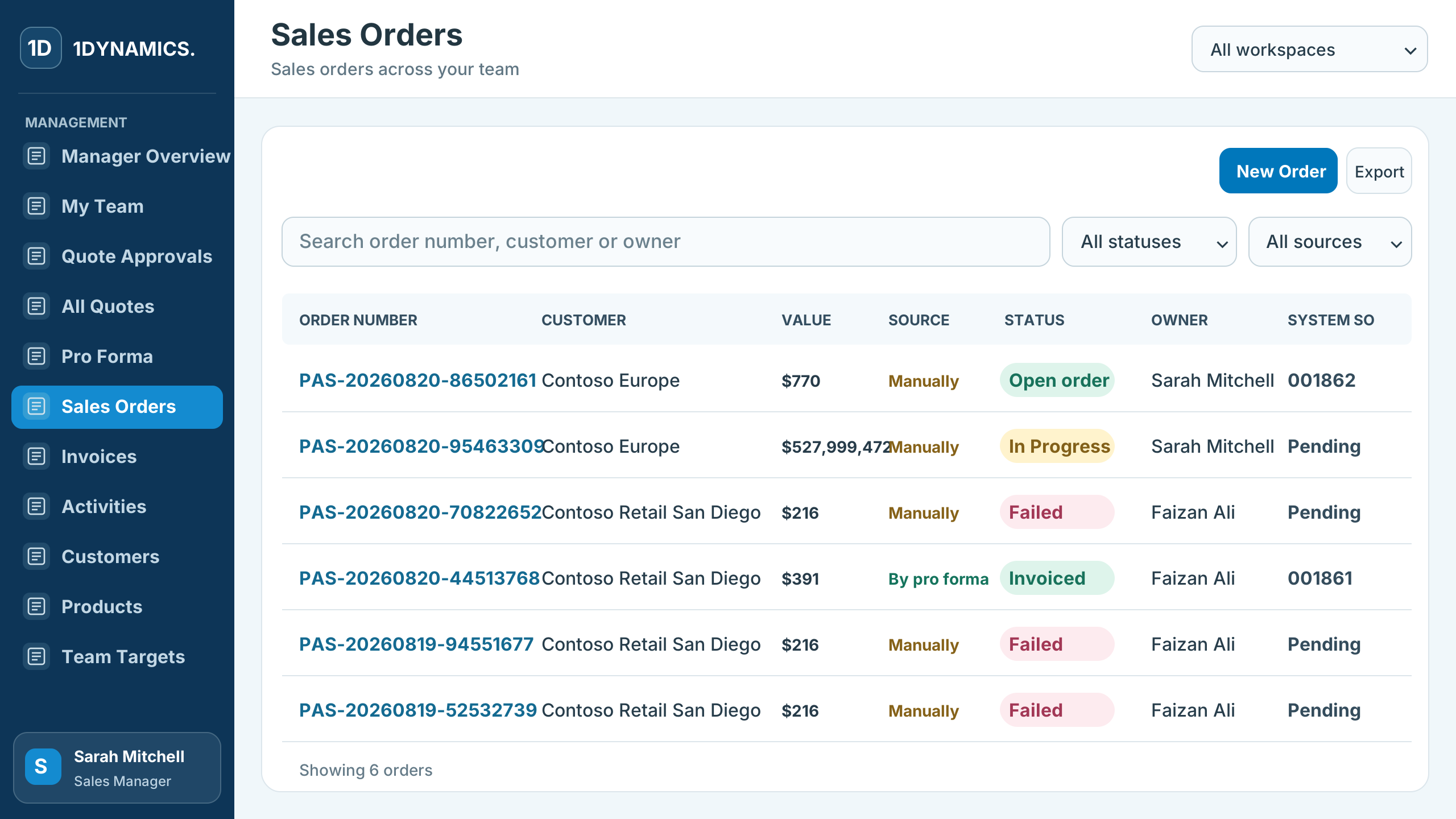
Sales orders
Turn approved quotes into sales orders you can trace.
Approved quotes convert into sales orders or pro formas. Each order keeps its portal and system numbers, source, owner and status.
- Portal and system order numbers
- Created manually, from a quote or from a pro forma
- Open, in progress, invoiced or failed status
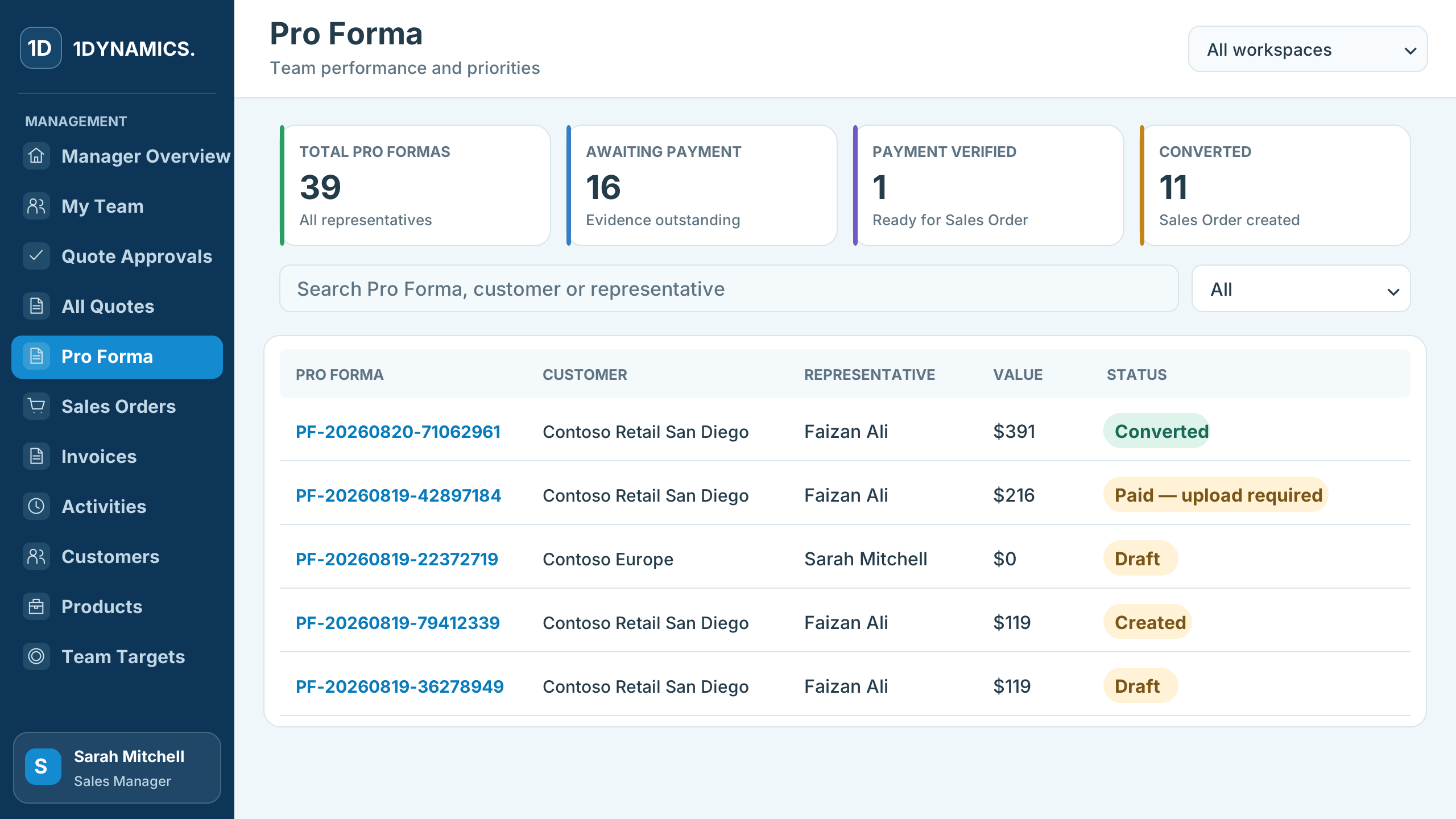
Pro forma
Track pre-payment from pro forma to payment evidence.
For pre-paying customers, see how many pro formas are awaiting payment, verified or converted, with the payment evidence attached to each one.
- Awaiting, verified and converted totals
- Payment evidence on each pro forma
- Linked sales order once converted
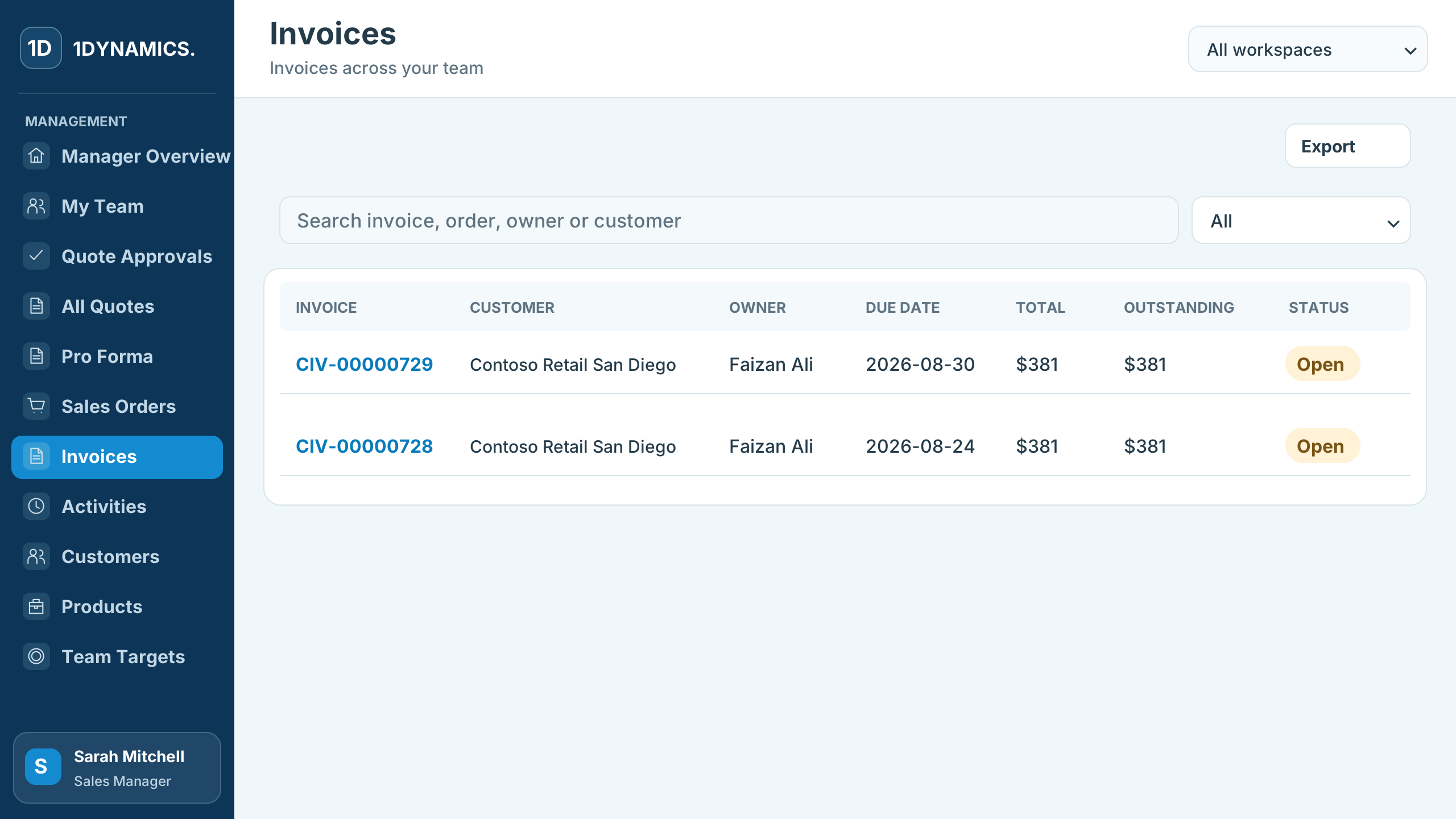
Invoices
Follow every order through to its invoice.
Invoices link back to their portal and system sales orders, so the team can see due dates, total and outstanding amounts and payment status in one list.
- Invoice linked to its sales order
- Due date and outstanding amount
- Open and paid status
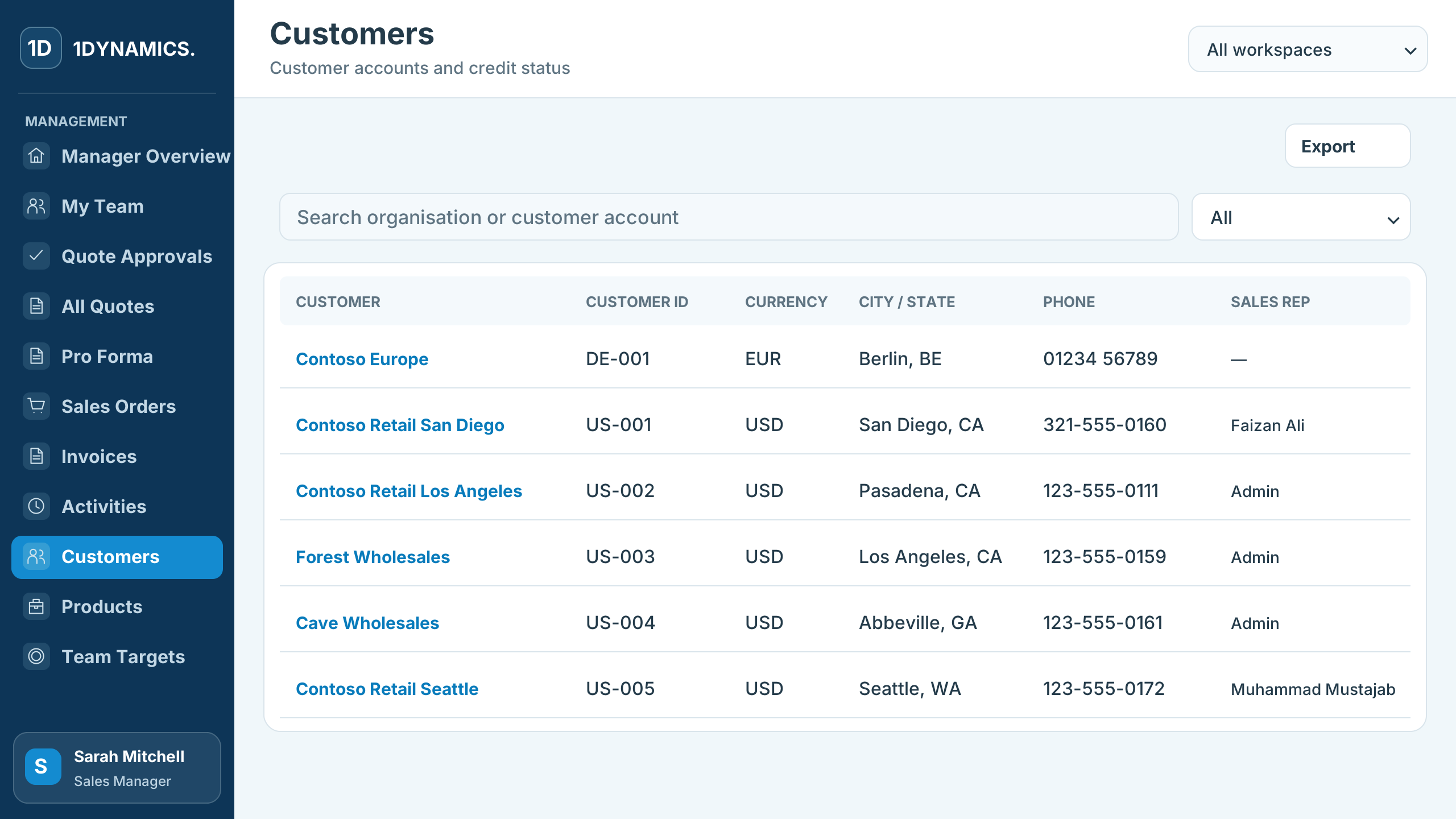
Customers
Keep customer accounts and ownership in one place.
Search customer accounts and see each one's ID, group, currency, location, phone and assigned sales representative.
- Searchable customer accounts
- Currency, location and contact details
- Assigned sales representative
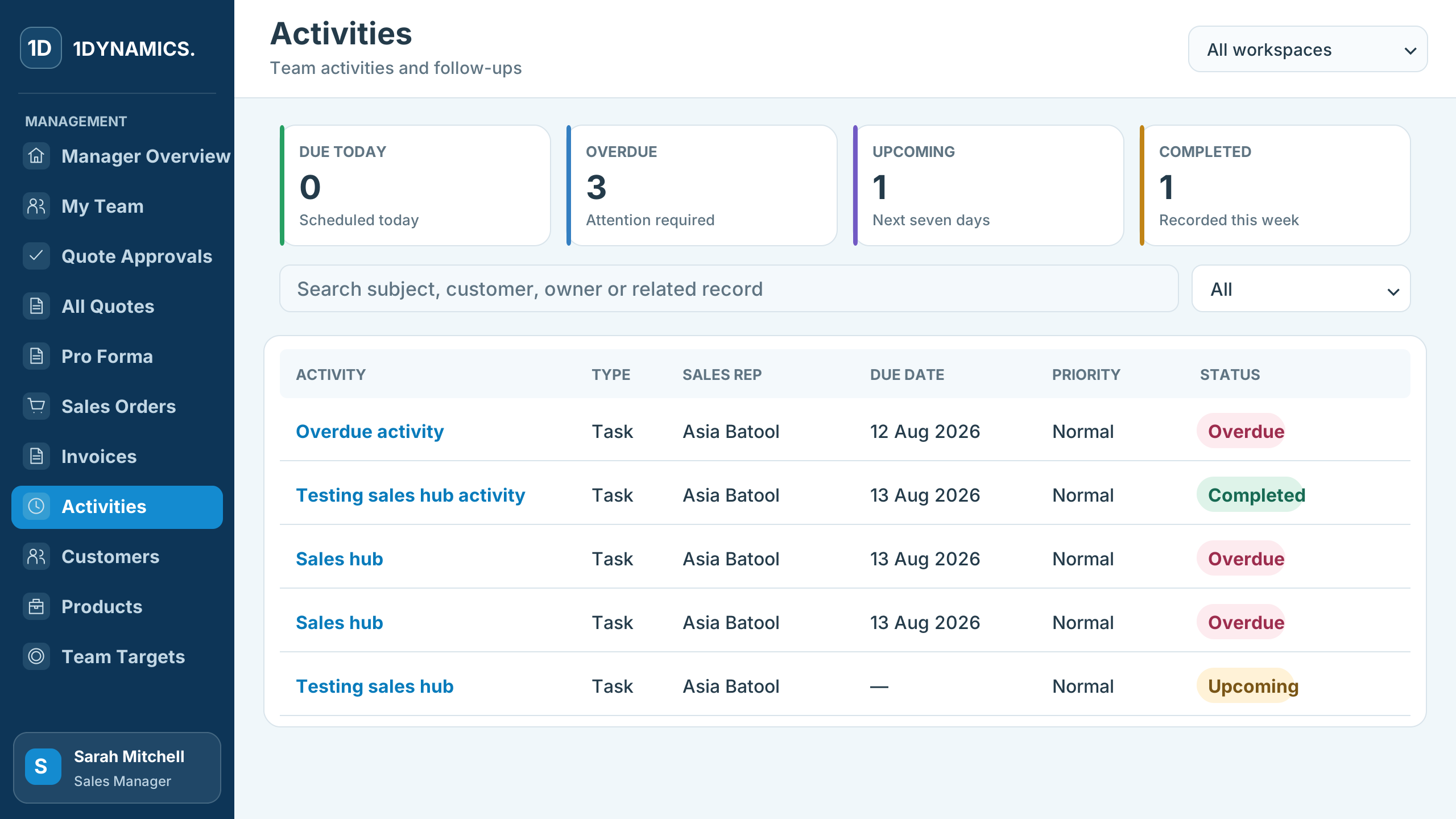
Activities
Stay on top of follow-ups across the team.
Activities show what is due today, overdue, upcoming and completed, with the owner, customer, due date and priority for each follow-up.
- Due today, overdue and upcoming counts
- Owner, customer and priority on every activity
- Mark follow-ups complete
A connected sales workspace, organised around responsibility.
Start with the areas that remove the most friction, then extend within the same governed product experience.
Teams & workspaces
Assign sales representatives, roles, territories, warehouse access and discount permissions.
Quote approvals
Review requests, provide feedback and control the commercial decisions that need manager ownership.
Quotes
Create, revise, approve and convert quotes while keeping customer, owner and reference context visible.
Pro forma
Manage pre-payment transactions, payment evidence and conversion into confirmed sales orders.
Sales orders
Track Sales on the Go and ERP order references, source, owner, value, status and fulfilment progress.
Invoices
See invoice references, due dates, total and outstanding amounts, payment status and related orders.
Activities
Organise due, overdue, upcoming and completed follow-up work across the sales team.
Customers & targets
Keep customer account context and team sales targets available for daily decisions and coaching.
Designed around the business systems your organisation already relies on.
Customer, product, price, credit, order and invoice information can remain governed in the appropriate Microsoft platform while Sales on the Go provides the focused role experience.
Explore Microsoft technologies → Dynamics 365 F&OEnterprise operations
 Business CentralGrowing business operations
 Power PlatformApps and automation
 Microsoft DataverseGoverned business data
Configure Sales on the Go around your roles, rules and core system.
1Dynamics supports solution design, configuration, integration, security, data transition, adoption and ongoing improvement.
Questions before you begin.
Every implementation is shaped around your sales roles, transaction process, approval model and Microsoft environment.
Who is Sales on the Go designed for?+
Sales on the Go provides focused workspaces for sales representatives and sales managers, with permissions and actions shaped around each role.
Can it connect to Dynamics 365 Finance & Operations?+
Yes. Customer, product, pricing, credit, order, fulfilment and invoice information can be connected with Dynamics 365 Finance & Operations.
Can it work with Business Central?+
Yes. Sales on the Go can provide a simpler role-based sales experience while Business Central remains the core operational and financial system.
How are discounts and quote approvals controlled?+
Discount permissions can be assigned by role, with required reasons, manager review, change requests and approval outcomes kept visible.
Does it support pre-payment customers?+
Yes. Pro forma workflows can capture payment evidence and maintain traceability when the transaction is converted into a sales order.
Can the experience be configured for our process?+
Yes. 1Dynamics configures roles, data, integrations, approval rules and the visible sales journey around your operating model.
Explore a clearer sales journey for representatives and managers.
Bring us your current quote, approval, order or invoicing process. We will show how Sales on the Go can connect the work around it.