One connected hub for people, projects, time and finance.
Give employees, managers and operational teams a focused place to complete everyday work, from attendance and policies to projects, payroll and client billing.
Role based Microsoft connected Governed by design
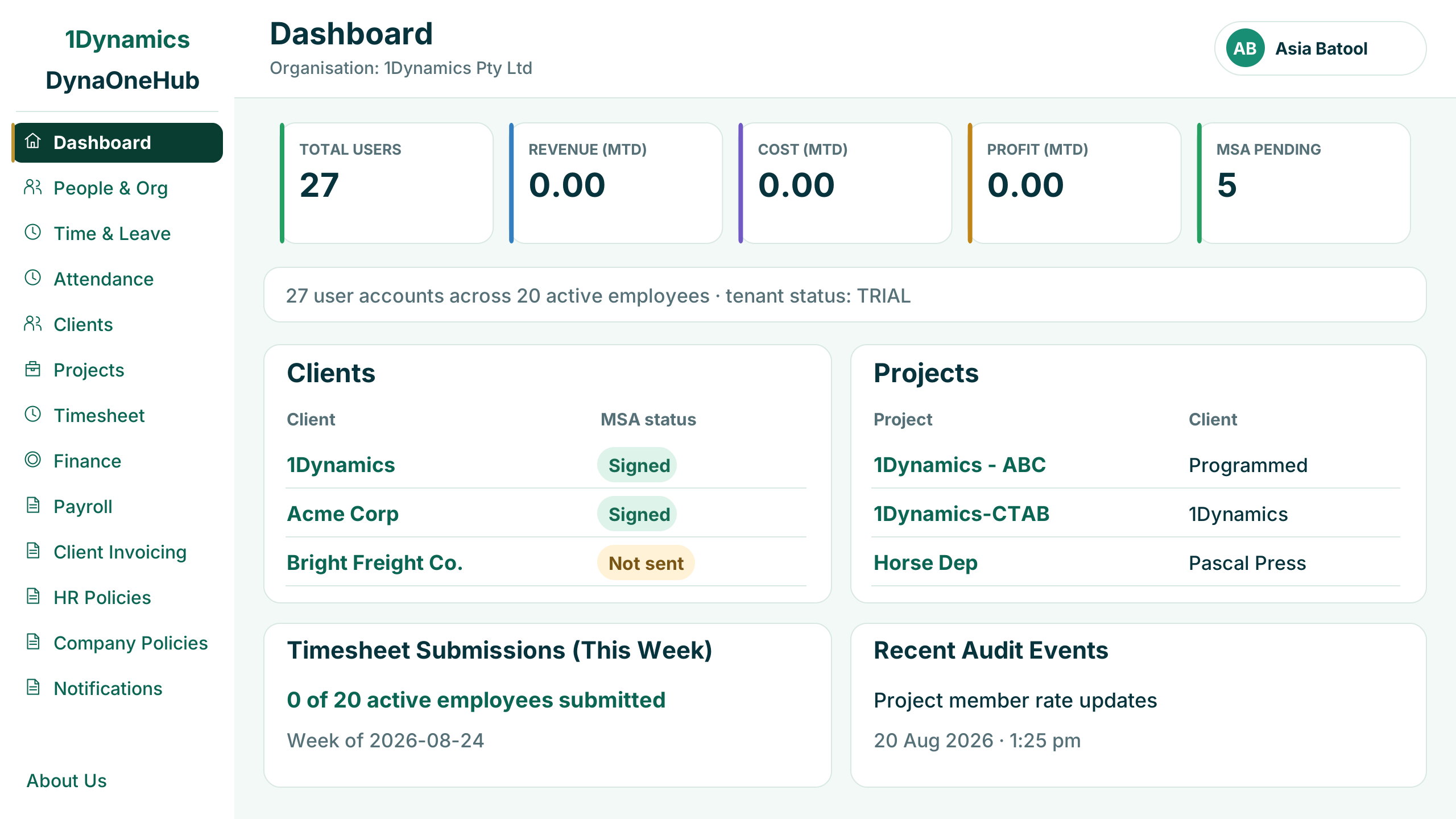
Bring fragmented employee and operational work into one clear experience.
Reduce navigation across disconnected tools while keeping ownership, permissions and business controls visible.
One employee experience
Give people one clear place for attendance, leave, timesheets, policies, communication and support.
Connected work administration
Bring clients, projects, resource engagement and billable time into a shared operational flow.
Stronger control and visibility
Keep approvals, policy acknowledgement, payroll, invoicing and audit activity visible and governed.
Real product views for the work teams perform every day.
Each workspace is focused on a clear operational responsibility while remaining part of the same governed hub.
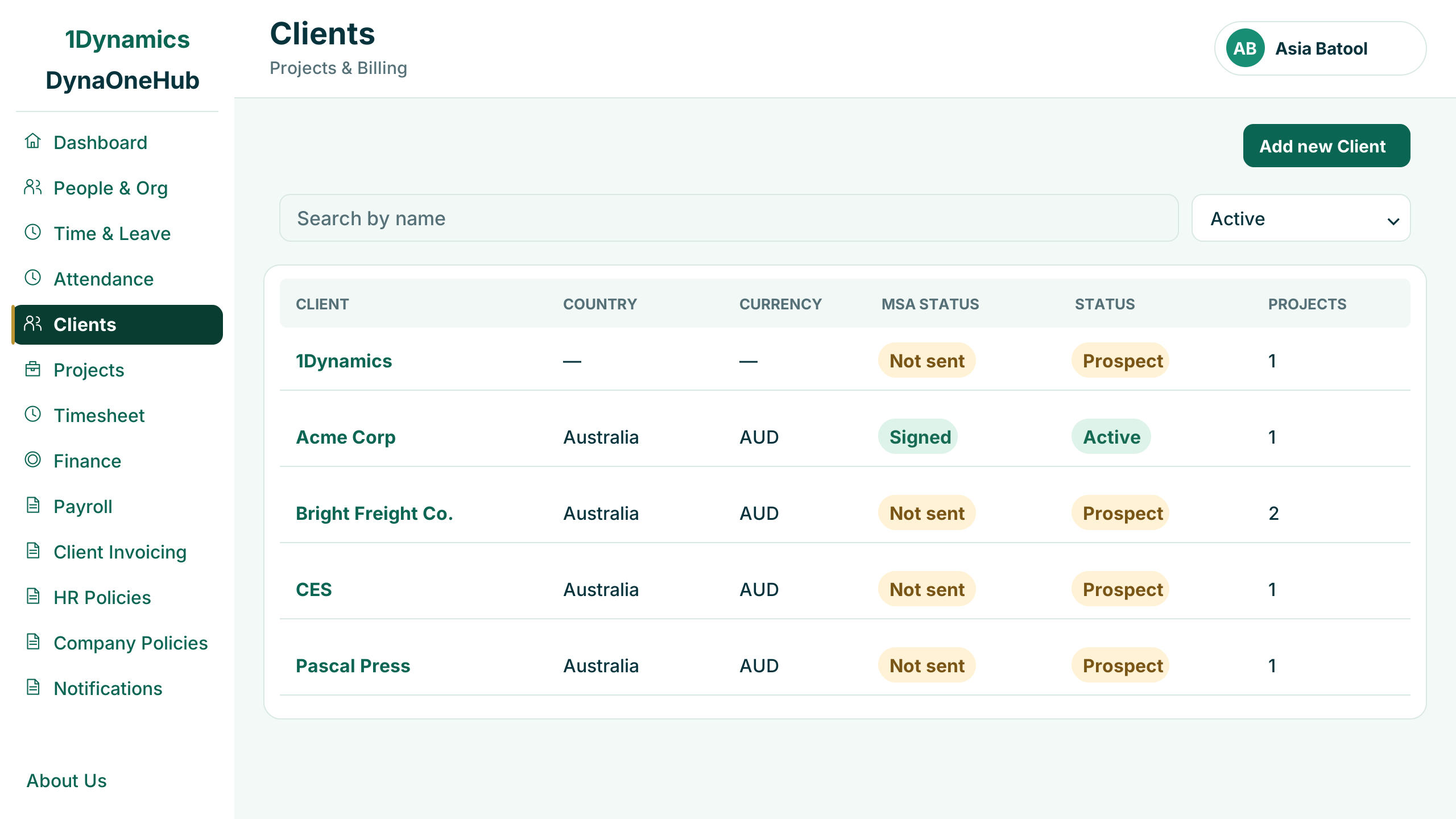
Clients
Keep every client, agreement and project in one list.
See each client's country, currency, services agreement status and number of projects, and add new clients as work begins.
- Client country and currency
- Agreement signed or not yet sent
- Prospect or active status
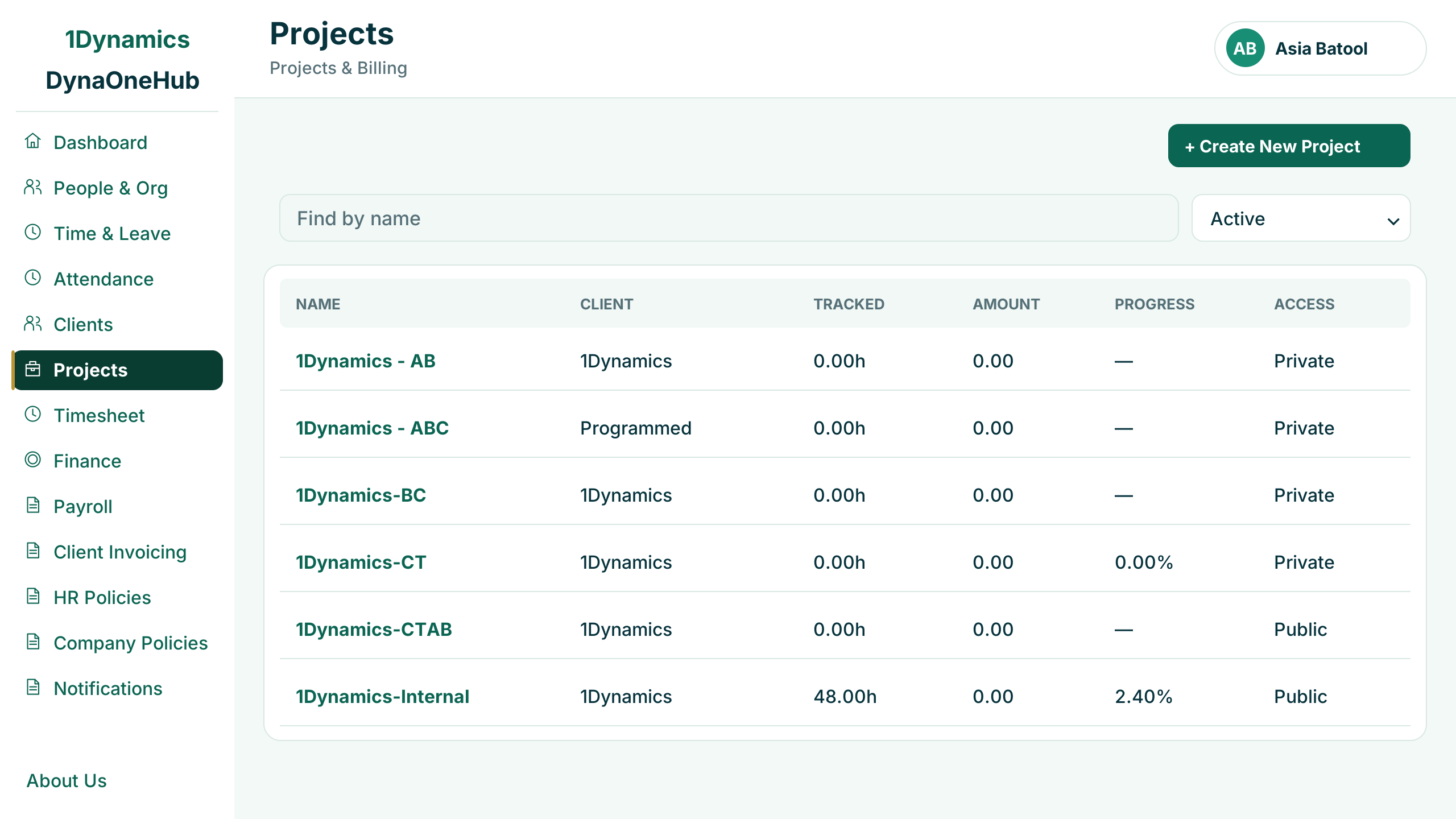
Projects
Track hours, budget and access on every project.
Filter projects by client, access, billing or employee, and see tracked hours against budget, amount and progress for each one.
- Hours tracked against budget
- Progress on every project
- Public or private access
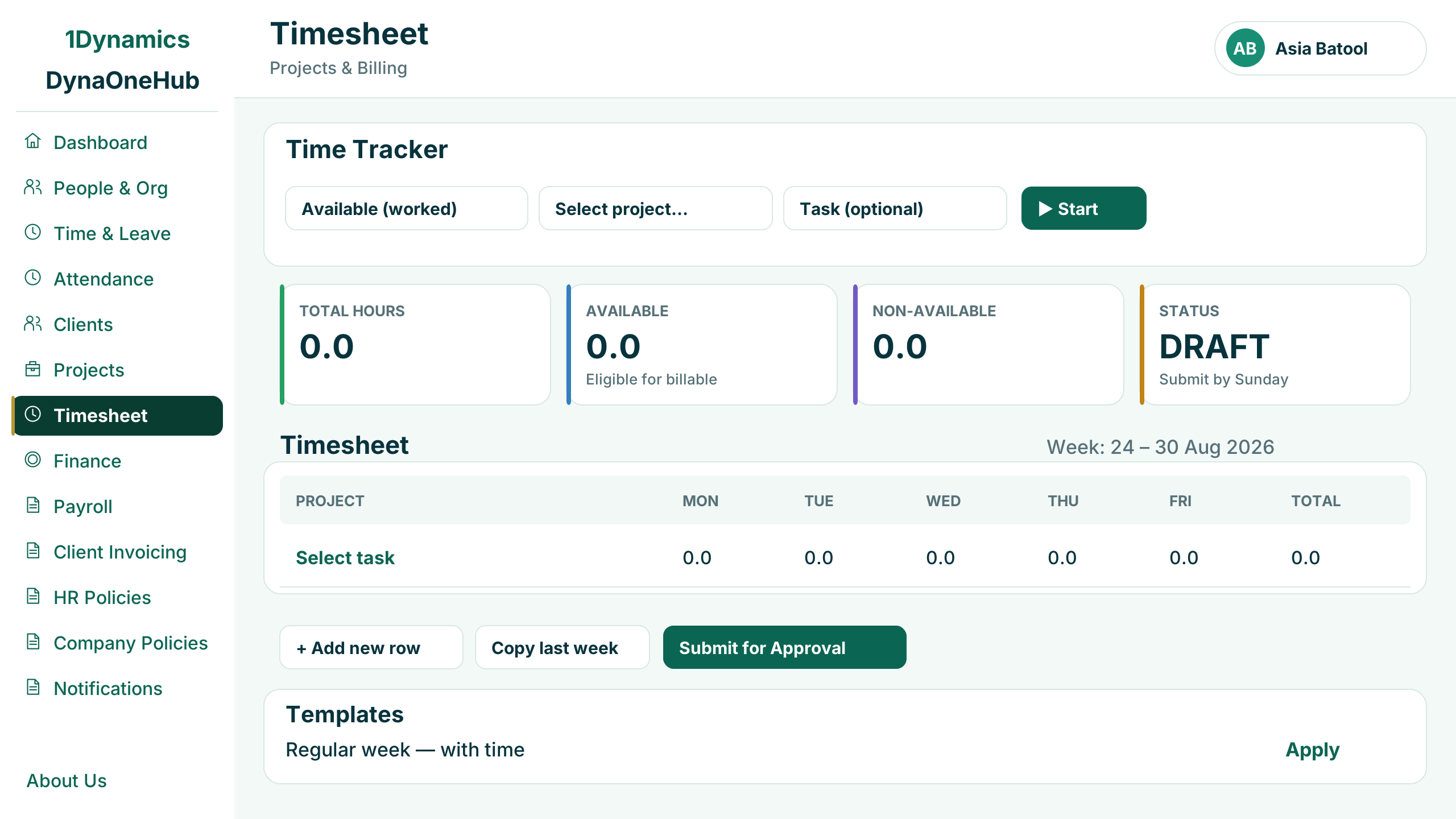
Timesheets
Capture the week's time in a few clicks.
Employees start a timer or fill in the week by project, reuse saved templates and submit for approval before the weekly cut-off.
- Live time tracker
- Reusable weekly templates
- Submit for approval
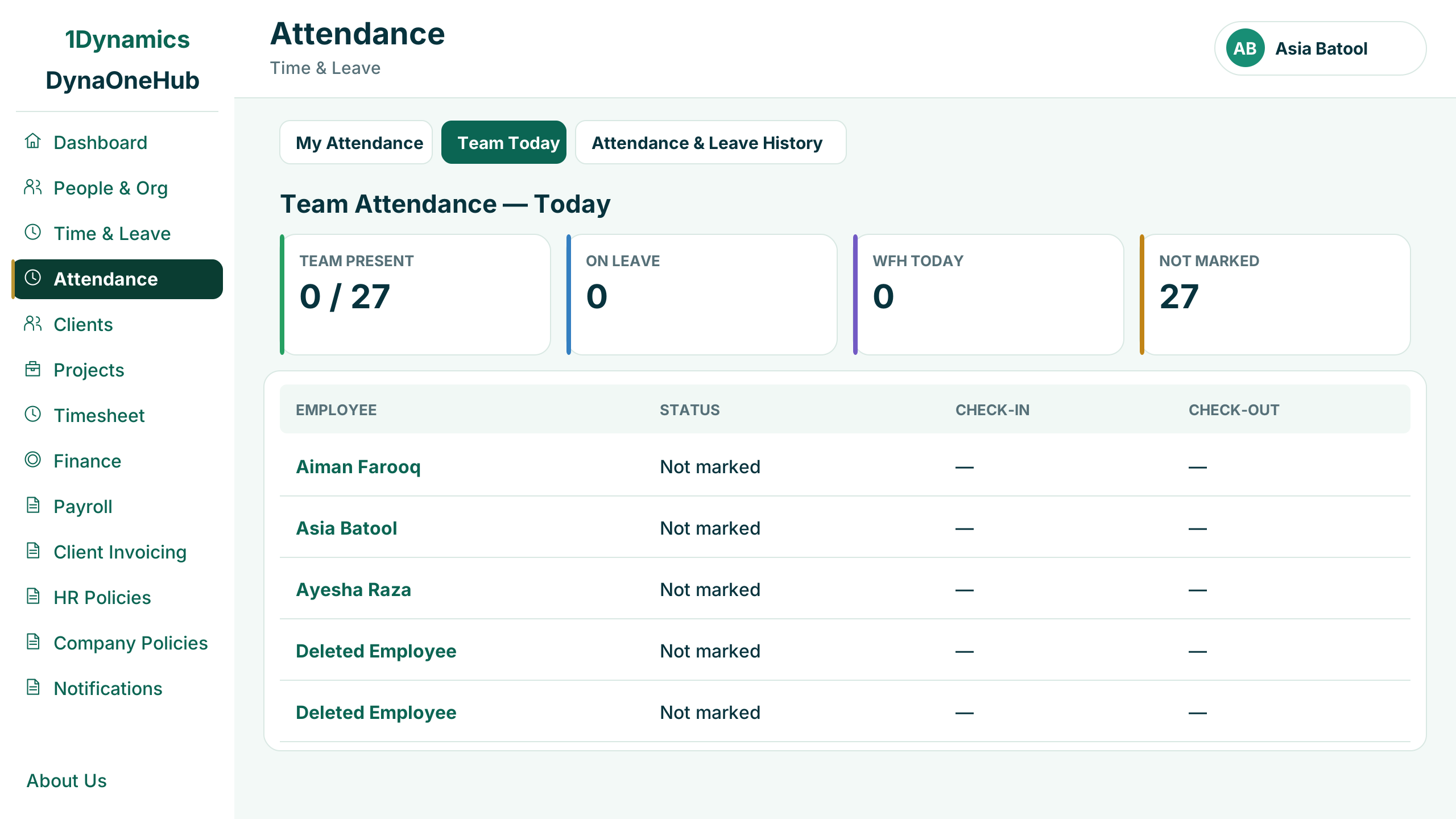
Attendance
See who is in, on leave or working from home today.
Managers see the team's attendance at a glance, with check-in and check-out times and a full attendance and leave history.
- Present, on leave and working from home
- Check-in and check-out times
- Attendance and leave history
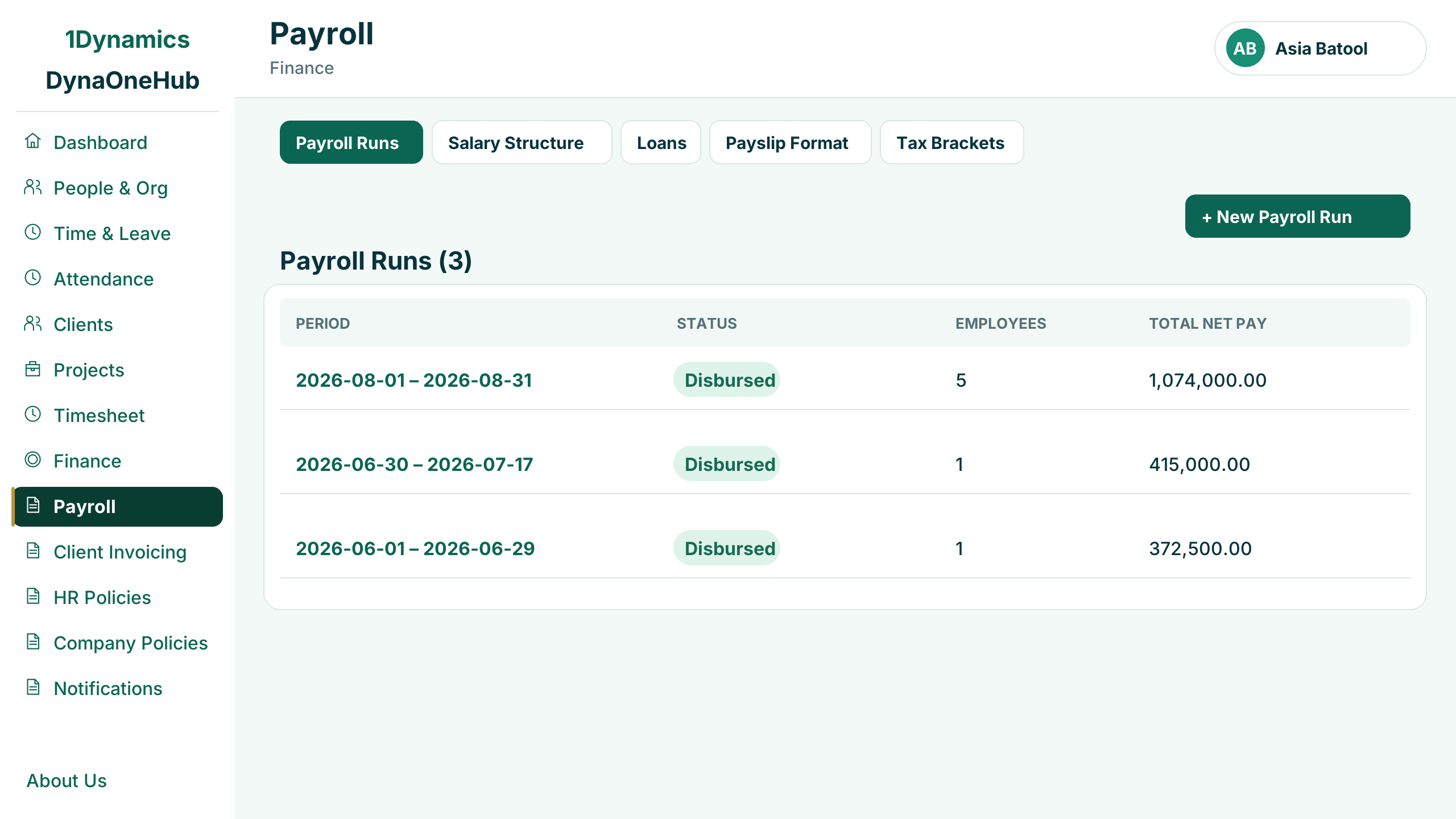
Payroll
Run payroll for every employee from one place.
Each payroll run calculates payslips for active employees from their salary structure, with loans, payslip format and tax brackets set up alongside.
- Payroll runs by period
- Salary structures and loans
- Payslip format and tax brackets
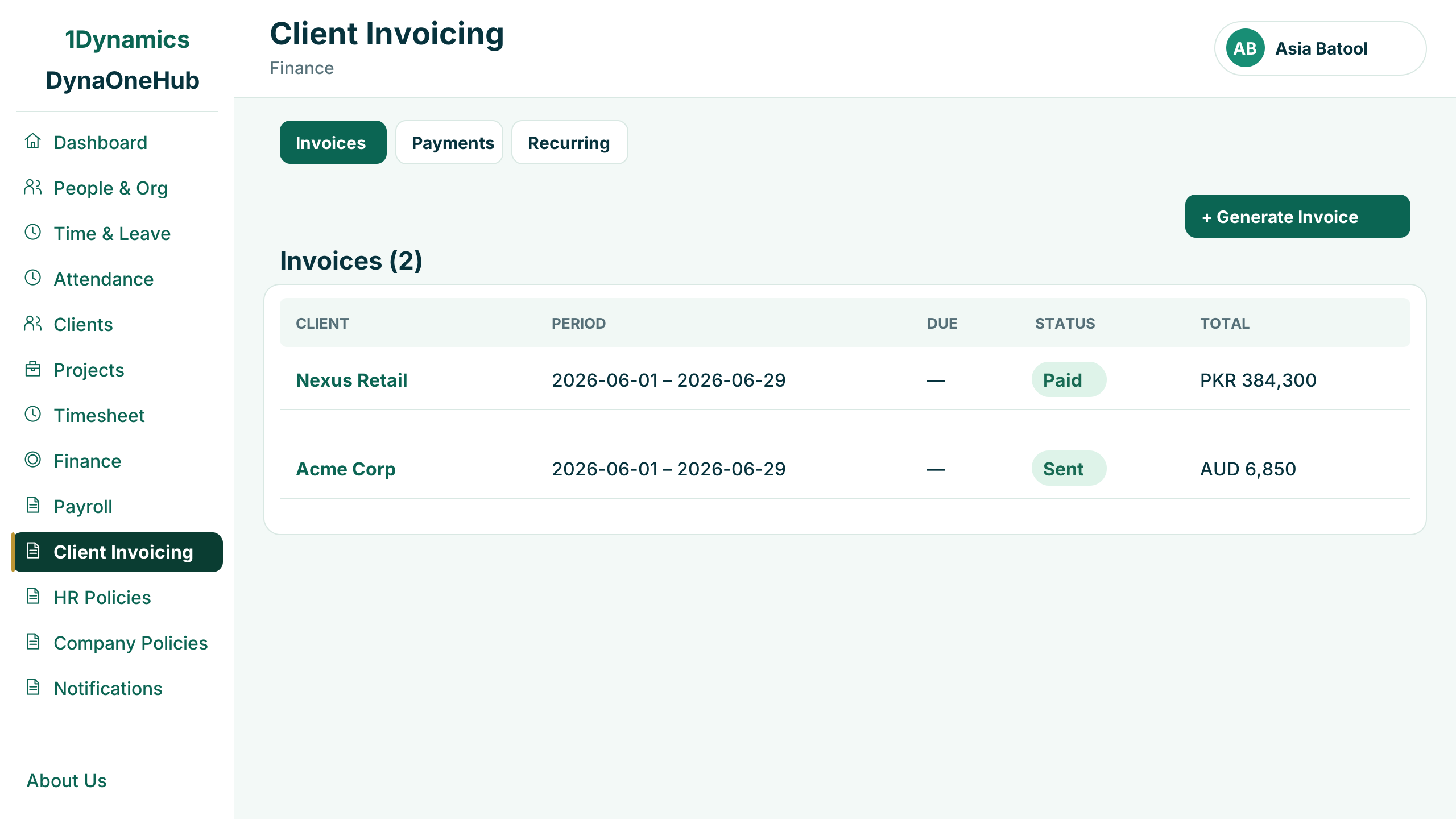
Client invoicing
Turn approved billable hours into client invoices.
Invoices are generated from approved billable hours and expenses on each client's projects, with payments and recurring invoices in the same place.
- Generated from approved hours and expenses
- Sent and paid status
- Payments and recurring invoices
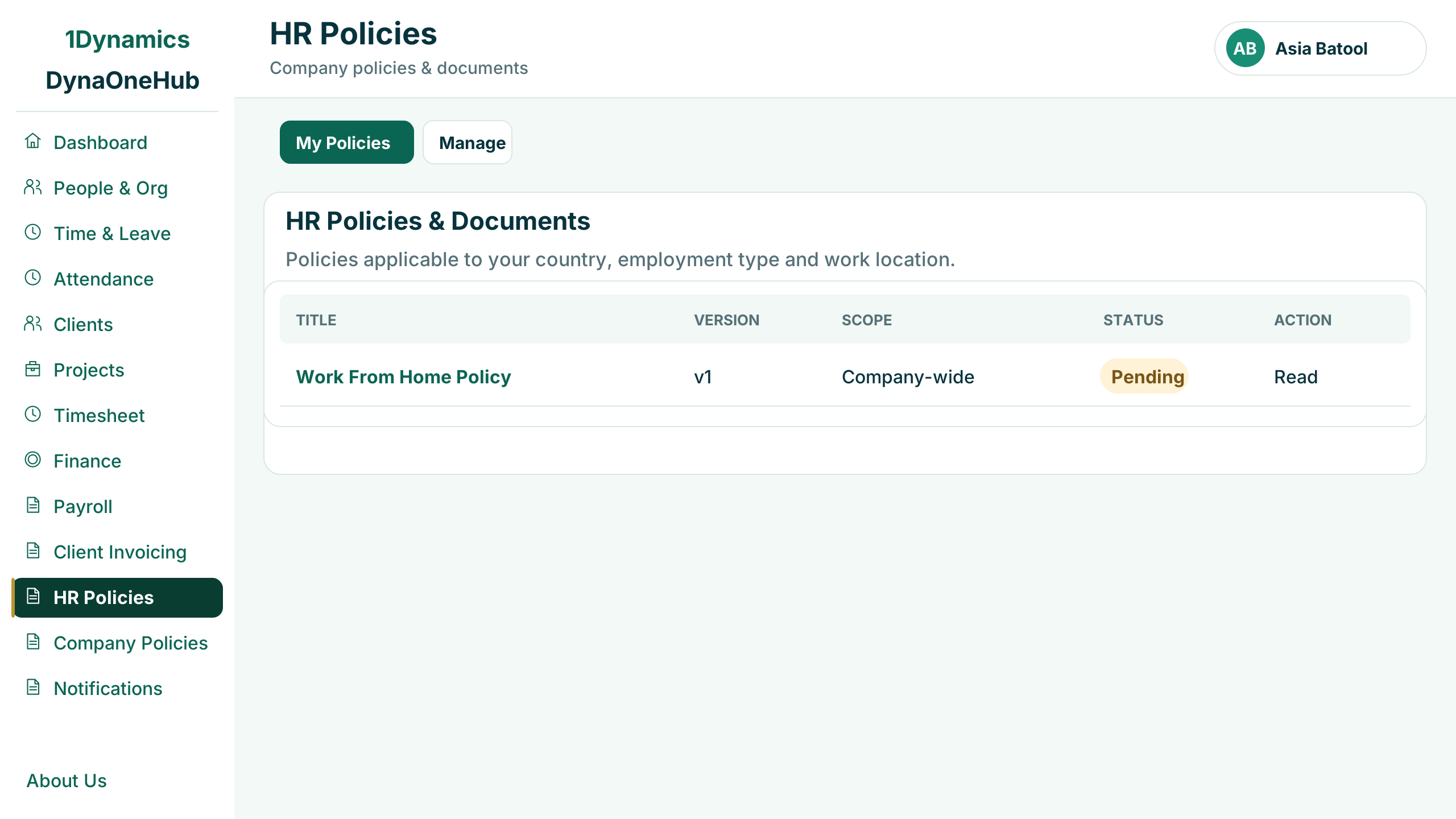
HR policies
Put the right policies in front of the right people.
Employees see the policies that apply to their country, employment type and work location, and acknowledge each version they read.
- Policies filtered to each employee
- Version and scope on every policy
- Pending and acknowledged status
A connected operating hub, organised around responsibility.
Start with the modules that solve the clearest need, then extend within the same role-based product experience.
People & organisation
Employee profiles, teams, lifecycle events and organisation-wide administration.
Attendance & leave
Daily attendance, team visibility, leave history and approval workflows.
Timesheets
Time tracking, weekly submissions, reusable templates and approval status.
Projects & clients
Client records, project access, resource engagement, rates and progress visibility.
Payroll
Salary structures, payroll runs, loans, payslip formats and tax brackets.
Client invoicing
Generate invoices from approved billable hours and recorded project expenses.
Policies & communication
Targeted HR policies, company policies, acknowledgement and holiday communication.
Governance & security
Role-based access, identity providers, audit events and operational notifications.
Designed to fit the Microsoft ecosystem around your organisation.
Identity, data, workflow and intelligence can be connected through governed Microsoft services rather than isolated point-to-point customisation.
Explore Microsoft technologies → Power PlatformApps and automation
 Microsoft DataverseGoverned business data
 Dynamics 365Connected operations
 Microsoft CopilotAssisted experiences
Configure the product around your people, processes and controls.
1Dynamics supports solution design, configuration, integration, security, data transition, adoption and ongoing improvement.
Questions before you begin.
Every implementation is shaped around your employee model, operating processes and Microsoft environment.
Is Employee Engagement Agent only for leave management?+
No. It brings together employee self-service, attendance, leave, timesheets, projects, clients, payroll, invoicing, policies, communication and governance in one connected experience.
Can managers and employees have different views?+
Yes. Role-based navigation and permissions can present the information and actions appropriate to employees, managers, finance teams and administrators.
How does project time reach invoicing?+
Approved billable hours and eligible expenses can flow from projects and timesheets into controlled client invoicing workflows.
Can the product connect to our Microsoft environment?+
The solution can be integrated with Microsoft identity, Power Platform, Dataverse and relevant Dynamics 365 services based on your architecture and data ownership.
Can policies be targeted to different employee groups?+
Yes. Policies can be governed by country, employment type, work location or organisation-wide applicability, with acknowledgement status visible.
How does 1Dynamics support implementation?+
We configure roles, workflows, data, integrations and controls around your operating model, then support adoption and continuous improvement after launch.
Explore a connected employee and operations experience.
Bring us your current employee, project, time or finance process. We will show how the right DynaOneHub modules can fit together.