
Day 2 of Microsoft Ignite 2025 focused on practical updates across Windows, security, Microsoft 365, and the AI platform. The announcements showed how Microsoft is building AI directly into the operating system and giving IT teams more automation, visibility, and control.
Below is a clear recap of everything that mattered yesterday.
Windows 11 Becomes an AI-Native Operating System
Windows 11 took a major step forward on Day 2 with AI agents becoming part of the operating system itself. The taskbar now includes built-in agents that sit alongside everyday tools and respond instantly when needed.
Microsoft also introduced “Agents on Windows,” a system that runs tasks quietly in the background. Routine checks, maintenance steps, and small actions no longer need a user or admin to trigger them. Work continues while the agent handles the rest.
Security Upgrades Across the Stack
Security was a major part of Day 2. Windows 11 is now ready for the post-quantum era, with protection built in for the next generation of cryptographic standards.
Microsoft also updated input protection to close off more attack paths and improve the system’s baseline security posture.
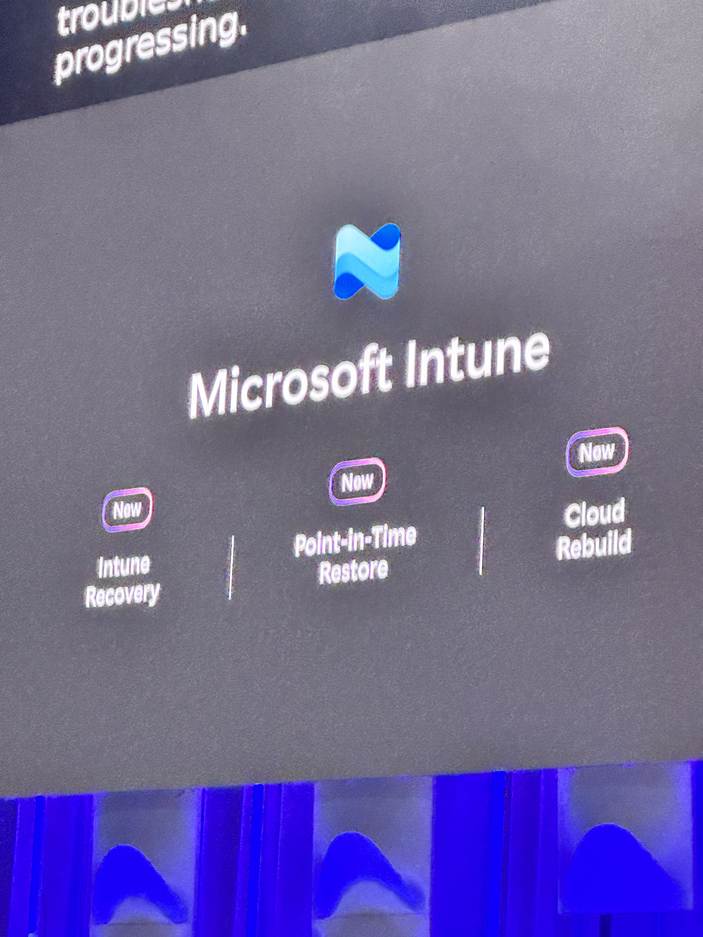
A new point-in-time restore option gives organisations a way to recover devices to a clean state during incidents or configuration problems.
The biggest operational improvement is Microsoft Intune Cloud Recovery, which lets admins rebuild a device remotely through the cloud. This will come in handy when a machine cannot rely on its local recovery tools.
New Autonomous Agents for Enterprise IT
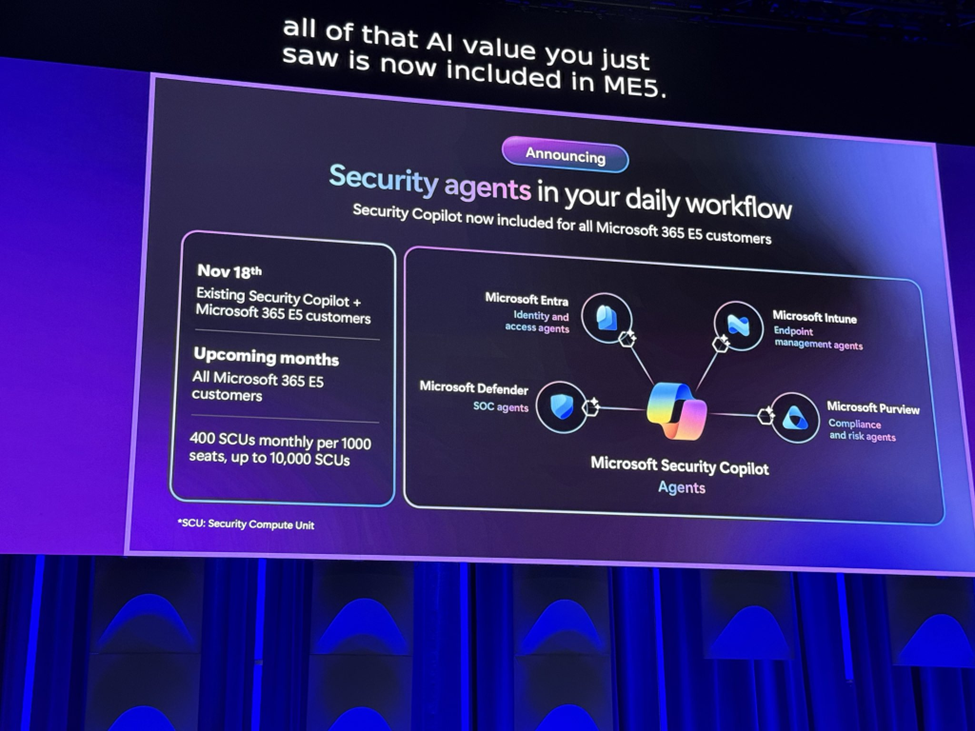
Microsoft introduced a set of new Intune and Security Copilot agents to reduce day-to-day operational load on IT teams.
1. Change Review Agent
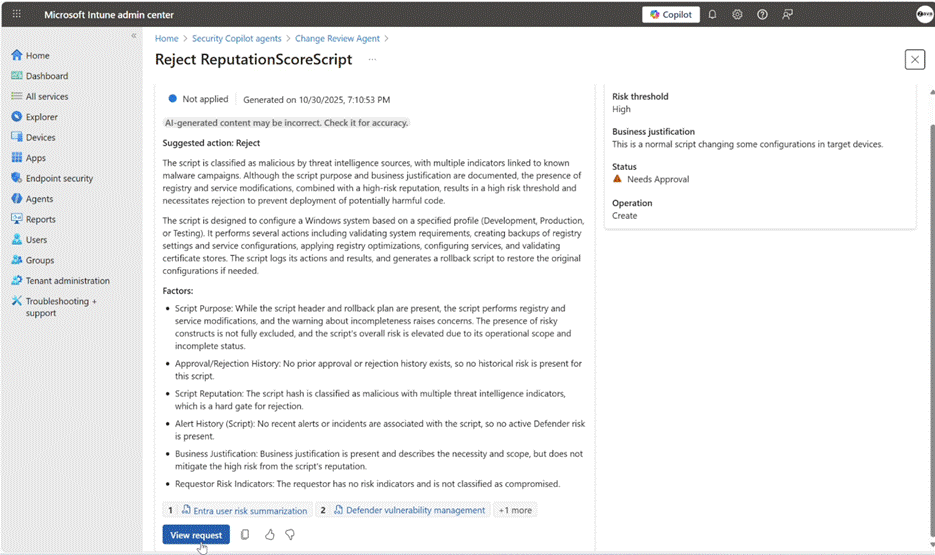
This agent looks at change requests in full context. It checks for risks, conflicts, and compliance gaps, then gives a clear breakdown of what the change might impact. The first version supports Multi-Admin Approval script requests and more types of changes will be added over time.
2. Policy Configuration Agent
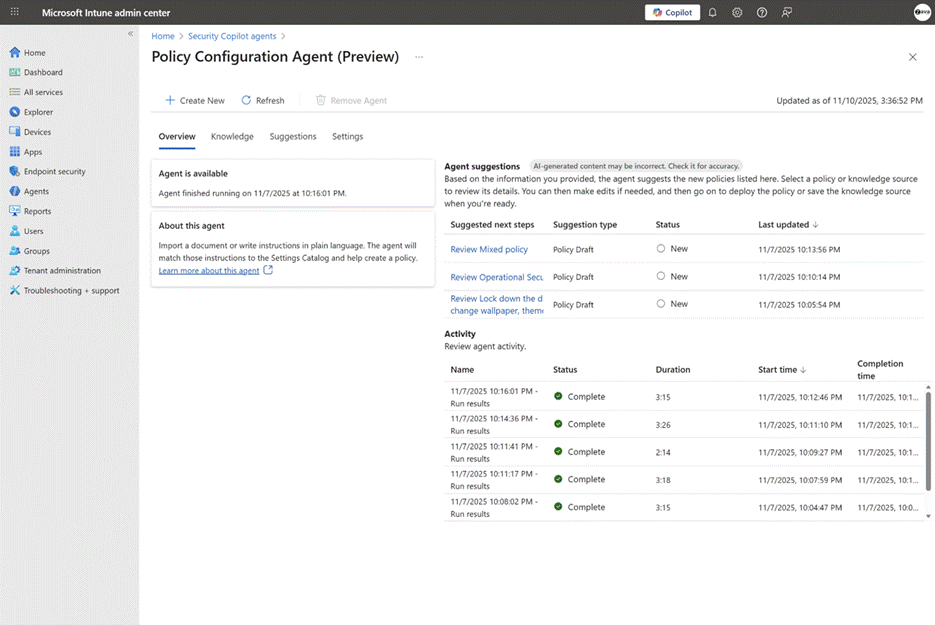
Policy creation usually requires digging through documentation, mapping requirements to settings, and validating each option one by one. This agent speeds up the process by taking natural language input or uploaded documents and turning them into suggested configurations.
It also checks these configurations against standards such as PCI, HIPAA, and DISA STIG, then flags anything that does not line up.
3. Device Offboarding Agent
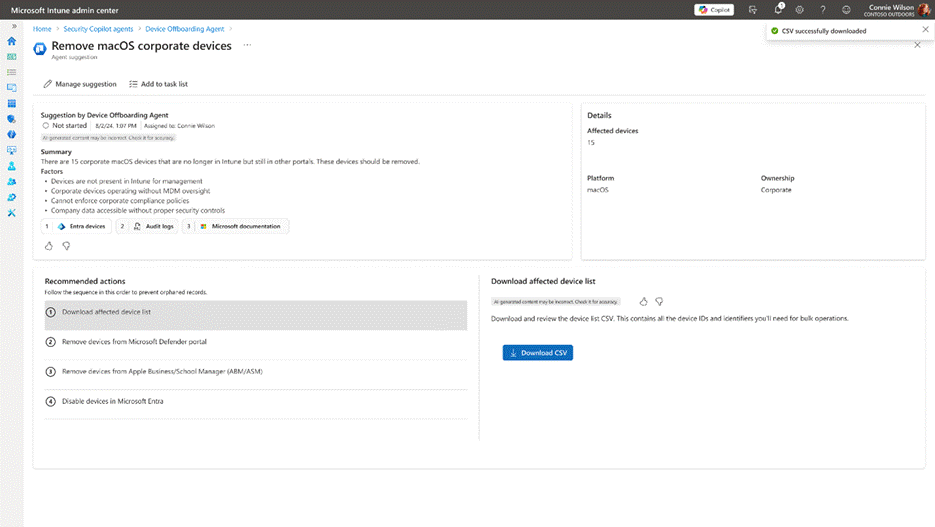
Old or unused devices usually stay connected longer than they should. This agent scans the environment for devices that no longer belong by using activity signals to surface likely candidates. It then guides admins through removing those devices cleanly so the organisation isn’t carrying unnecessary risk.
These agents focus on jobs that normally take time and attention from IT teams. Tasks that used to be manual or repeated now run in a consistent, predictable way. Large environments benefit the most, since these agents can handle many devices at once without slowing down.
Microsoft 365 Copilot and Work IQ Enhancements
Microsoft expanded Copilot with a new intelligence layer called Work IQ. It helps Copilot understand context across projects, documents, and conversations, so its responses feel more aligned with how people actually work.
Office apps also gained a new Agent Mode. Word, Excel, and PowerPoint can now work with multiple agents in the same session, which makes it easier to refine drafts, restructure data, or build presentations in a step-by-step way instead of starting from scratch.
Voice commands now play a bigger role across devices. Copilot responds to spoken instructions on mobile and desktop, which speeds up quick tasks when typing isn’t convenient.
Microsoft is also opening the door for more specialised solutions. New APIs and extension options let organisations build industry-specific agents that plug directly into Copilot and operate within their internal processes.
Agentic Platform Expansion (Azure, Fabric and Foundry)
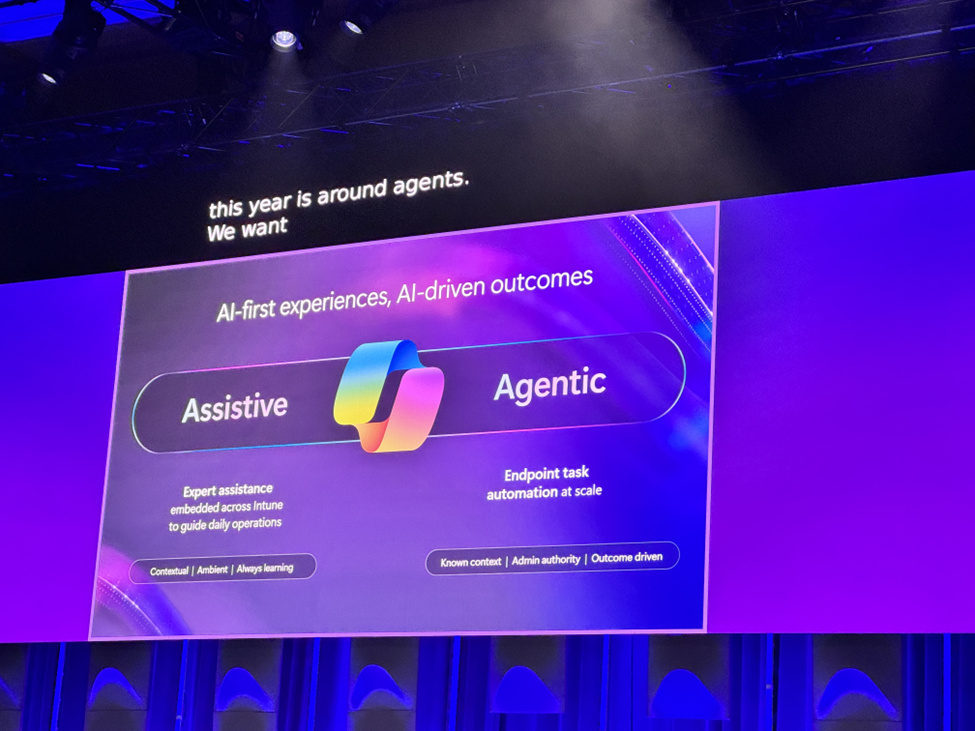
Day 2 outlined Microsoft’s broader direction for the AI platform. Fabric IQ and Foundry IQ now sit under a Unified AI Stack. It gives organisations one model for working with operational data, analytical data, and real-time streams.
A major addition is the Agent 365 Control Plane, the management layer for enterprise agents. It introduces:
- A global agent registry to track every agent in use
- Agent ID through Microsoft Entra for secure identity
- Built-in tools for governance, compliance checks and auditing
Microsoft also announced the Agent Factory Program, which guides teams through building and deploying production-grade agents that meet enterprise safety and quality requirements.
Final Thoughts
Microsoft made it clear that agents are becoming the foundation of how Windows, security, collaboration, and cloud systems operate. The focus was on running AI in a controlled and enterprise-ready way.
What to Expect on Day 3
MS Ignite Day 3 is expected to bring deeper announcements for builders, developers, and enterprise architects.
Here is what you can expect:
- Several sessions focus on building and refining AI agents, including hands-on work with knowledge grounding, RAG, and Azure AI Search.
- A number of breakouts cover security for AI systems, with practical guidance on securing platforms, apps, and agents end-to-end.
- Windows and device sessions dig into how on-device AI and agents fit into everyday work, especially across the productivity stack.
- Data and analytics tracks highlight Microsoft Fabric and how organisations can move from raw data to automated workflows.
There are also hands-on labs that show how teams can take an agent from prototype to production, including deployment and CI/CD steps.