

“Low code is dead, as we know it.”
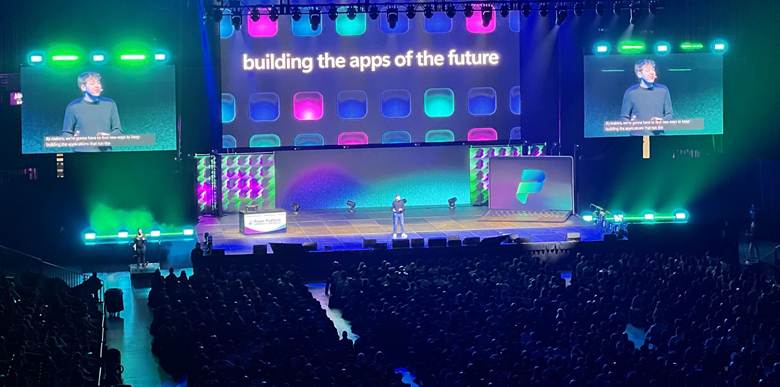
Microsoft used that exact phrasing on stage at the Power Platform Community Conference 2025 in Las Vegas, with Charles Lamanna leading the keynote and presenting a very different future for Power Platform.
But they did not kill low code, so they could walk away from it. They killed the old version of it. In its place, they are pitching an AI-first platform where apps, agents, and workflows start as conversations with Copilot, and quietly turn into React code.
In this post, we will reveal what Microsoft actually announced and what “low code is dead” really means.
Power Platform Growth And The AI Reboot
The scale of this shift makes more sense when you look at the numbers Charles shared.
Power Platform is now at around 56 million monthly active users, up from 33 million in 2023 and 48 million in 2024, which is roughly 70% growth over two years but closer to 17% year on year.
Microsoft 365 sits above 300 million monthly active users, and Charles openly talked about wanting Power Platform to reach 500 million in the next one to two years.
Copilot Studio has gone from about 50,000 organisations using it last year to roughly 200,000 this year to build agents, which is a very different growth curve from the early Power Apps days.
You can feel the pattern in those numbers.
Power Platform is now baked into enterprise IT. Growth is still healthy but not explosive, which is exactly the moment Microsoft tends to introduce a new curve.
From Drag And Drop To React On Top
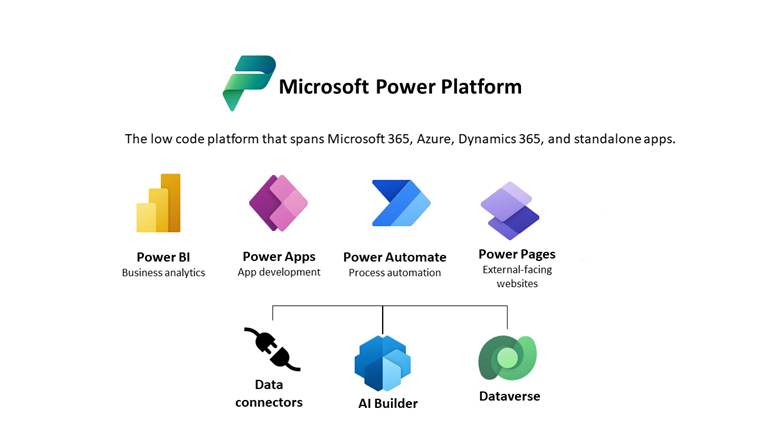
If you only half-watch the keynotes each year, it is easy to miss how much Power Apps has changed.
The story used to be “canvas for pretty, model driven for serious data” and you lived inside designers, formulas and control trees.
The 2025 announcements quietly flip that on its head. Low code is still the way you describe what you want, but the thing that actually runs looks a lot more like a modern web application stack.
Model-driven apps are not boring anymore. They now ship with agents baked in:
- Data entry agent – drop in an email, PDF or image and let it extract and fill the form for you.
- Data exploration agent – ask questions in natural language and instantly filter, group and chart your data.
Generative Pages push this further:
- You describe the screen you want and point at your Dataverse tables.
- The platform generates the full page automatically.
- The output is React which handles UI and logic.
Now powered by GPT-5, it generates a full React page that is cleaner, faster and usually needs fewer tweaks.
Canvas apps full of Power Fx and delegation warnings are starting to look like the legacy tier. New apps are generated as React, structured for ALM and far easier for professional developers to inherit and extend.
You still talk to the system in natural language, but what runs in production is React and TypeScript.
In Power Apps, Microsoft also showed the evolved plan designer, which now uses four agents that work together during the design phase:
- A requirements agent that captures what you want to build.
- A data agent that can create multi-table Dataverse structures, define relationships and even manage row-level security.
- A code agent that generates the back-end code, including calls to APIs.
- A solution agent that pulls everything together into a full solution.
Copilot Studio: Agents Are The New Apps
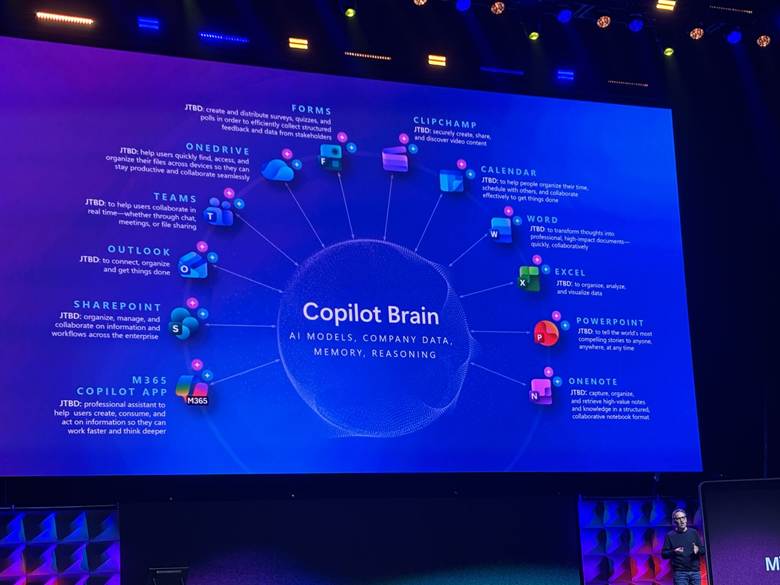
If Power Apps is where AI now generates the front end, Copilot Studio is where the “app” turns into an agent that can live in different channels, call other systems and even drive a UI for you.
It now brings a whole stack of capabilities together so those agents start to feel like real applications:
- Computer use so an agent can click and type through legacy UIs when there is no connector.
- A native WhatsApp channel for enterprise chat with sign-in and attachments.
- Richer prompt tooling and large file/knowledge sets to ground responses.
- Code interpreter for Python logic and Dataverse operations.
- Built-in testing and analytics so you can measure, tune and trust what you ship.
Building Apps And Workflows Inside Microsoft 365 Copilot
App Builder lives inside Microsoft 365 Copilot and lets individual knowledge workers describe a small app in plain language.
For example, “a media tracker for articles and videos with title, link, status and notes” and get a working UI in the side panel within a few minutes.
Behind the scenes, it creates a dedicated SharePoint list for each app and infers the columns from your description, which makes it fast to start but keeps it in the “personal or small team helper” category rather than a full enterprise app wired into Dataverse.
The Workflows agent does the same for automation by letting you stay in Copilot chat and describe a flow such as “every weekday at 8am, review my unread emails, prioritise messages from my CEO, manager and key clients, and send me an HTML summary of actions,” then building and scheduling the workflow for you.
It still runs as a normal Power Automate cloud flow on the inside, but for personal workflows, inbox triage and daily digests, Copilot becomes the main way you design and deploy automations instead of the classic flow designer.
Closing Thoughts: Apps, Agents and What You Do Next
So, is low code really dead?
Not exactly.
The drag and drop, hand written formula version of low code is being pushed into the background. The new layer is natural language with Copilot that turns your intent into React apps, Dataverse models, Copilot Studio agents and personal workflows in Microsoft 365.
Microsoft is also providing built-in agents to help with this shift. You get data entry and exploration agents in Power Apps, Plan Designer’s agents for solution design, and the App Builder and Workflows agents in Microsoft 365 Copilot.
The smart move now is to run a few focused experiments rather than wait for a big strategy. Build one Generative Pages app for a real team, one Copilot Studio agent that uses the new testing tools, and one or two Copilot built workflows or App Builder apps for your power users
Makers now focus less on Power Fx and more on describing processes, checking what AI produces and tightening prompts and tests.
That is usually enough to feel the shift.